
The Lucky Mate casino login for Australian players sits on luckymate.co.com, the operator’s current domain, which has EN-AU and EN-NZ versions. Two older addresses, luckymate.com and luckymatecasino.com, appear on ACMA’s block list and forward there. A page that refuses to load may be blocked by your internet provider following ACMA’s announcement of 13 February 2026; we don’t publish ways around that. Your Lucky Mate password belongs on luckymate.co.com and on no other site.
We’re a review site and have no login form of our own. The screens and error messages below are taken from the operator’s site code as archived on 19 May 2026, and we checked the block list in October 2026. Bonuses, games and payments are covered in our Lucky Mate casino guide.
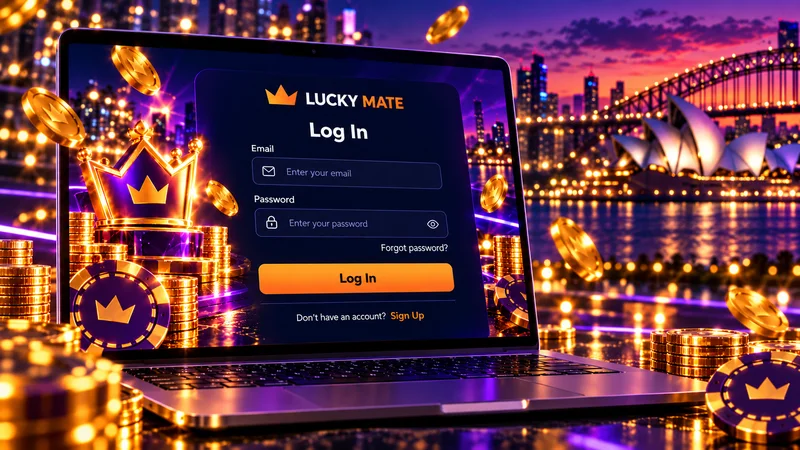
The official Lucky Mate login: luckymate.co.com
Start with the address bar. It should read luckymate.co.com, with no extra words, hyphens or numbers, and the site should offer EN (AU) and EN (NZ) versions with balances in AUD. In the footer you’ll see BrillianteFin Development N.V. and licence no. 365/JAZ. That identifies the operator, though a current licence is another matter: 365/JAZ is a legacy Curaçao master-licence number (Gaming Services Provider N.V.) that expired on 18 August 2024, and the Curaçao Gaming Authority’s public register (we checked the 21 September 2026 edition) has no entry we could find for BrillianteFin Development N.V.
The login window has two fields, email and password, and a “Restore password” link. Name, address and date of birth belong to the sign-up form, card details to the cashier, so a “login” page asking for them isn’t the operator’s. The full background is on our page about the official Lucky Mate domain and licence.
From luckymate.com to luckymate.co.com
From at least February 2025, Lucky Mate’s Australian casino ran on luckymate.com. Then, on 13 February 2026, ACMA announced a request to internet providers to block the brand (one of eight in that batch), and luckymate.com and luckymatecasino.com were both added to the block list. Each now redirects to luckymate.co.com, which runs the same platform code down to the login form.
| Domain | What it is | Status (checked October 2026) | Log in here? |
|---|---|---|---|
| luckymate.com | Original Australian casino domain | On ACMA’s block list; redirects to luckymate.co.com | No, use the current address |
| luckymatecasino.com | Older operator domain | On ACMA’s block list; redirects to luckymate.co.com | No |
| luckymate.co.com | Current operator domain, EN-AU and EN-NZ | Not on the block list when we checked; access may change | Yes |
| luckymate.co.uk | A separate British brand with its own accounts | Not the Australian casino | No |
| lucky-mate-australia.com | This review site | No login form; never asks for passwords | No |
Source: ACMA blocked gambling websites list; operator’s site as archived in October 2025 and on 19 May 2026 (checked October 2026).
Old luckymate.com bookmarks can simply show an error, since a domain your provider blocks never gets the chance to redirect. Save a fresh one from luckymate.co.com.
Go to the Lucky Mate loginWhy the login page may not open in Australia
Australia doesn’t issue online casino licences. Under the Interactive Gambling Act 2001, operators may not offer these games to people here, and ACMA enforces that by asking internet providers to block offshore sites. According to the Department of Infrastructure, the Act targets the providers of interactive gambling rather than their customers, yet a player with an offshore account has little recourse if something goes wrong.
When a domain is blocked you’ll usually get an error or a page that loads forever, and ACMA’s consumer advice warns that players at blocked sites may lose access to an existing account. ACMA’s own tally as at 24 September 2026 was 1,822 illegal gambling and affiliate websites blocked since November 2019, and the ACMA blocked gambling websites page carries the full list.
Money in an account you can’t reach
A provider block cuts your connection to the site; the operator’s records of your account are untouched. If you hold a balance and can’t open the site, email [email protected] from the address registered on the account, state the balance and any pending withdrawal, and ask in writing how the payout can be completed. Keep every reply, because no Australian regulator will step in if an answer never arrives.
Lookalike sites: where not to type your Lucky Mate password
Plenty of websites trade on the Lucky Mate name, dozens at least. Several put login, app, bonus or casino into the domain, and one copies the operator’s address with a hyphen between “lucky” and “mate”. The ones we read send their Login buttons through tracking links, often a /go/ path, and one routed “Lucky Mate bonus” traffic to a different casino brand.
The danger is a copied form that asks for your Lucky Mate password, since whatever you type goes to the people running that site. Our own domain carries the brand name as well, so a name alone tells you little, and we never ask readers for their login details.
Signs you’re on a copy
- The address isn’t exactly luckymate.co.com: an added hyphen, number, country code or word such as login.
- Bonuses in pounds, the code MATE50 or spins on Big Bass Splash. Those belong to the British LuckyMate site.
- A sportsbook section. The Australian Lucky Mate has no sports betting.
- POLi listed as a working deposit method, although it closed in Australia on 30 September 2023.
- Any request for your password by email, chat or phone. The operator’s 2023 terms template says: “We will never ask you to reveal your password.”
If you’ve already typed your password on a copy
- If your email account uses the same password, change that first. Lucky Mate’s reset sends a new password to your inbox, so anyone with access to that inbox can take over the account.
- Log in on luckymate.co.com and use “Change password” in your profile.
- Check your transaction history for withdrawals or payout details you didn’t set up.
- Tell support through live chat and give them the address of the copy.
How to reset a Lucky Mate password
Lucky Mate doesn’t send a reset link. Its form emails you a new password, and you change it to one of your own afterwards.
- Open luckymate.co.com, choose Log in, then click “Restore password”.
- Enter the email registered on your account and press Restore.
- Wait for “A new password has been sent to your email”. If nothing arrives, the site tells you to check your Spam folder.
- Log in with the emailed password, open your profile and choose “Change password”: current password, new password, repeat.
New passwords can’t contain spaces and may use numbers, letters, dots, hyphens, underscores and the @ sign, within the form’s minimum and maximum length.
When the reset email never comes
Look in Spam and any inbox filters, then confirm which address you signed up with. If you no longer use that inbox, go to live chat. The operator’s 2023 platform FAQ said players can’t change the account email or phone number themselves, so be ready to confirm your identity.
Don’t open a second account
Sign up again with the same email and the site replies: “This account already exists. If this is your email address and you forgot the password, reset it.” Registering under a different email causes bigger problems. The operator’s 2023 terms template allows one account per household, IP address and device, and says duplicates can be blocked or closed, with bonuses and winnings forfeited. If you’ve never had an account, this is where you create a Lucky Mate account.
Lucky Mate login problems: cause and fix
Most failed logins fit one of these rows.
| What you see | Likely cause | What to do |
|---|---|---|
| An error or endless loading on luckymate.com | Old domain on ACMA’s block list | Go to luckymate.co.com and replace old bookmarks |
| luckymate.co.com won’t load either | Your provider blocks it, or the site is down | Access may change; email [email protected] about any balance |
| “Unable to sign in. Check if email and password are correct” | Wrong email, a typo, a stray space or caps lock | Retype slowly; if it fails again, use Restore password |
| “Too many requests” | Repeated attempts in a short time | Stop, wait, then reset instead of guessing |
| Reset email doesn’t arrive | Spam filter or a different sign-up address | Check Spam, then live chat |
| “Account blocked” or “Access restricted” | A lock by the operator, or a time-out or self-exclusion you set | Ask support for the reason in writing |
| “Players from your country are not allowed to use this website” | The site doesn’t serve the location it detected, for example while you’re overseas | Wait until you’re home; don’t disguise your location |
| Logged in, but a withdrawal still shows as pending | 48-hour review, no weekend processing, transfer up to 5 working days | Count business days before chasing it |
| Your phone shortcut opens an error | Shortcut saved on the old domain | Delete it and add a new one from luckymate.co.com |
| An App Store app asks for your Lucky Mate login | Listing by COOPERS CREEK GAME LIMITED; link to the operator not confirmed | Log in through the mobile browser instead |
Source: messages from the operator’s site code as archived on 19 May 2026; ACMA block list (checked October 2026).
Locked or blocked accounts
The operator’s lock screen is headed “Access restricted” and says only: “Your account was cancelled or locked. If you have any questions, please contact support.” Its 2023 terms template lists the usual triggers: duplicate accounts, suspected fraud and players it classifies as bonus abusers, whose winnings and bonuses can be voided.
Players describe locks in other situations too. One of the two 1-star reviews on the luckymate.co.com Trustpilot profile says the account was locked after the player kept chasing a verified win. Casino Guru’s Australian review lists two delayed-payout complaints, A$660 and A$1,200, alongside a Safety Index of 3.5 (Low). We can’t verify those accounts. Both stories do begin the same way, with a payout request.
What to keep and where to write
- Dated screenshots of your balance, transaction history and any pending withdrawal.
- Chat transcripts and emails, with the time of each question.
- A record of the documents you sent and when: the ID selfie, the ID itself (6 or more months before expiry) and the PDF bank statement covering the last 3 months, with your name, address and three or more transactions.
- One written question to [email protected]: which rule was applied, and what’s needed to lift the lock or pay the balance.
Send documents only through live chat on luckymate.co.com or the support email. Complaint services such as Casino Guru’s accept player cases, which matters because disputes with an offshore operator fall outside any Australian regulator’s remit. Other account topics are in our common account questions.
When the lock is a break you asked for
Lucky Mate lets you set deposit limits and loss limits, take a time-out or self-exclude. Wanting back in early after a break you set yourself is usually a sign to leave it running, and opening a fresh account to get round it would break the one-account rule anyway. BetStop only covers licensed Australian bookmakers, so it doesn’t reach Lucky Mate. Play is restricted to 18+, and Gambling Help Online offers free support on 1800 858 858, day or night.
Logging in on your phone
On a phone you log in through the same form: email and password, in Safari, Chrome or any other browser at luckymate.co.com. In October 2025 the operator was still saying “We are yet to develop an app” and pointing players to a home-screen shortcut. Its May 2026 FAQ mentions access “from their mobile browser or app” yet never names an app.
There is an App Store listing called “Lucky Mate Casino”, but its publisher is COOPERS CREEK GAME LIMITED and the operator has never confirmed any connection, so we wouldn’t type a Lucky Mate password into it. Google Play has no version at all. That listing is examined in our notes on the Lucky Mate mobile app.
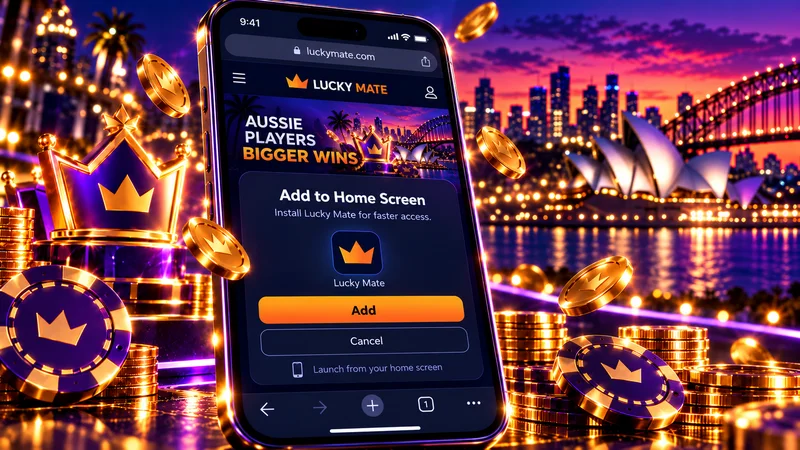
Make a fresh home-screen shortcut
- Open luckymate.co.com in your mobile browser and log in.
- iPhone, Safari: tap Share, then “Add to Home Screen”. Android, Chrome: tap the three-dot menu, then “Add to Home screen”.
- Delete any older shortcut that still opens luckymate.com.
Support hours when you’re locked out
Someone is on live chat 16:00–10:00 GMT+11 every day, which covers about 18 hours in 24, and the operator promises to process requests within 3 hours. Outside those hours, email [email protected]. In Casino Guru’s test on 31 March 2026, a reply took 7 days to arrive, so we’d read the 3 hours as an aim.
| Where you are | Chat open (local time) | Chat closed (local time) |
|---|---|---|
| Sydney, Melbourne, Canberra, Hobart in daylight saving (AEDT) | 16:00–10:00 | 10:00–16:00 |
| Brisbane, and the eastern states outside daylight saving (AEST) | 15:00–09:00 | 09:00–15:00 |
| Perth (AWST) | 13:00–07:00 | 07:00–13:00 |
Source: operator’s support hours, quoted as a fixed GMT+11, site as archived on 19 May 2026; local times are our conversion.
On the east coast the unstaffed stretch falls in business hours. In Perth it takes up the morning, so a question sent before work waits until the arvo. If you’re locked out on a weekday morning, send an email first so the message is waiting when chat reopens.
Live chat over 24 hours
Checking a pending withdrawal after you log in
Logging in every few hours to watch a withdrawal won’t make it move faster. Each request is processed within 48 hours, with nothing processed at weekends, and the transfer itself can take up to 5 working days; PayID is quoted at same day to 1 business day.
Scenario based on the operator’s published rules
- Friday evening: you request A$1,500, and the weekend passes untouched.
- Monday to Wednesday: the 48-hour review.
- Card or bank: up to 5 working days lands it the following Wednesday, 12 calendar days after the request. PayID: around Thursday, day 6.
- Nothing by day 13: contact live chat or email support, with screenshots.
Source: operator’s site as archived on 19 May 2026 (checked October 2026).
Friday request: last day
Limits and documents are covered in our notes on pending withdrawal requests. A withdrawal request also wipes any bonus that’s still mid-wagering, so don’t press the button just to see what happens. We reckon a luckymate.co.com bookmark and a deposit limit set before your first session head off most of the problems on this page.
Logging in to Lucky Mate?
Live chat 16:00–10:00 GMT+11 · Verify your account before the first withdrawal · 18+