
The Lucky Mate casino sign up is six short steps and a few minutes’ work. You have to be 18 or over, the Australian account runs in AUD, and a first deposit of at least A$25 brings 150% up to A$1,000 plus 150 free spins. Verification is what takes time. Before your first payout the operator wants a photo of you with your ID in hand, an ID with at least six months to run before it expires, and a bank statement from the last three months as a PDF or scan.
It pays to have that pack ready before you deposit, so a win isn’t left waiting on paperwork. We worked from the operator’s site as archived on 19 May 2026, its cashier code and Casino Guru’s Australian review (all checked October 2026), and didn’t open an account ourselves. Games, payments and the bonus are summed up in our Lucky Mate overview.
Before you register: three checks
Who the account is with
The account you open is with BrillianteFin Development N.V., Curaçao company no. 158519. The licence it quotes, no. 365/JAZ, is a legacy Curaçao master-licence number that expired on 18 August 2024. BrillianteFin itself didn’t turn up when we searched the Curaçao Gaming Authority’s public register (21 September 2026 edition). That makes Lucky Mate an offshore casino without an Australian licence, and one the ACMA named in a block announcement on 13 February 2026.
Signing up isn’t an offence on your part, because the Interactive Gambling Act 2001 places its prohibitions on operators, and players aren’t its target. The flip side is that you’d have little recourse through Australian regulators if a dispute came up. Take this as general information rather than legal advice; the detail is on our licence and ACMA status page.
The right website
Lucky Mate currently runs its Australian site on luckymate.co.com. Its older addresses, luckymate.com and luckymatecasino.com, sit on the ACMA block list and redirect there. Some other sites borrow the Lucky Mate name and run sign-up forms of their own, which pass whatever you type to the people behind the copy. When a Lucky Mate address won’t load on your connection, the block is the probable cause; we don’t publish ways around it, and access may change. Our Lucky Mate login page shows how to tell the real site from copies.
The Australian brand, not the British one
The British LuckyMate at luckymate.co.uk belongs to a separate, UK-licensed company. Its pounds, its sportsbook and its MATE50 code have nothing to do with an Australian account, so a sign-up page quoting £ means you’re on the wrong site.
How to sign up at Lucky Mate, step by step
The archived pages don’t capture the form field by field, so treat this order as typical; the live form may run slightly differently.
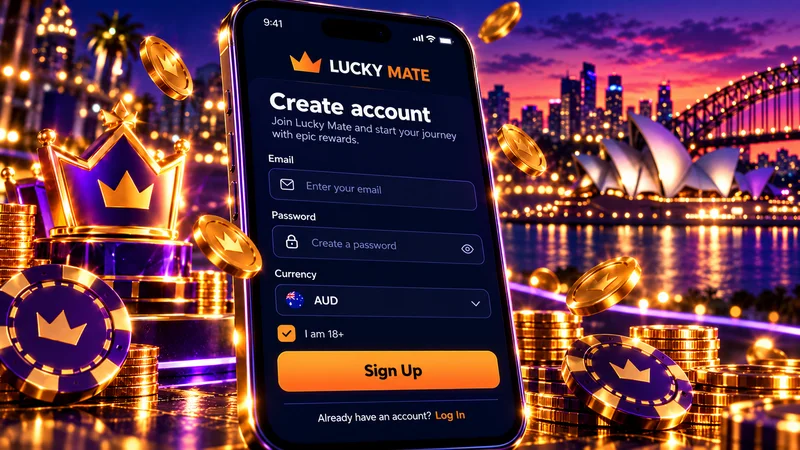
- Open the sign-up form on luckymate.co.com. Look at the address bar first, then start typing.
- Enter an email address and a password. Use an inbox you’ll keep: personal promo codes arrive by email, and you can send verification files to support from it.
- Choose Australia and AUD. The New Zealand version runs in NZD, and payouts only go to a bank account in the same country as your profile.
- Add your mobile number in +61 format. Make it a number in your own name.
- Use your legal name and home address. Enter both exactly as your bank shows them, whether the form asks now or the profile asks later. The cashier only pays out when your first name and surname match the bank account details.
- Confirm you’re 18 or over. Lucky Mate limits its games to players over 18, and the ID check confirms your age later.
Before any money goes in, set a deposit or loss limit. The account tools also include time-outs and self-exclusion, and a limit picked with a clear head holds up better than one picked after a bad session on the pokies. If gambling stops feeling like a choice, talk to Gambling Help Online on 1800 858 858; counsellors answer at any hour.
Signing up on a phone
A mobile browser shows you the same form, and the phone’s camera will make the ID photo easy later on. There’s no operator-confirmed native app. The App Store’s “Lucky Mate Casino” comes from a developer called COOPERS CREEK GAME LIMITED, and we found nothing from the operator connecting that company to BrillianteFin, so we’d stick to Safari or Chrome for registration. Home-screen shortcuts are covered in our guide on how to sign up from your phone.
Open a Lucky Mate accountYour first deposit: the A$25 line
The minimum PayID deposit is about A$20, while the welcome bonus asks for A$25. A A$20 transfer funds the account and nothing more. At A$25 or above, step one of the package kicks in: 150% up to A$1,000 plus 150 free spins on Mustang Gold, wagered x40 on the bonus amount alone.
In dollars, A$25 gets you a A$37.50 bonus that needs A$1,500 of pokies turnover before it can be withdrawn; A$100 gets A$150 and needs A$6,000. Leave the code field empty, as no public promo code exists. The other three steps and the rules that cancel a bonus are on our first-deposit bonus page.
Live games matter here too. Opening anything in the Live section wipes every active bonus, so if you want blackjack or roulette with a dealer from day one, ask chat how to deposit without the bonus.
Getting the deposit through
- PayID: copy the amount the cashier shows to the cent and leave words like “casino” out of the description. The bank rejects and returns a mismatched amount.
- Visa or Mastercard: expect a 3-D Secure code, occasionally more than one. CommBank, Westpac, NAB and ANZ Plus all offer a gambling block on cards, so a decline might come from a setting you switched on yourself.
- Timing: a deposit may take up to an hour to be credited, so don’t send a second one in the meantime.
- Bank disputes: the operator warns that incorrect or fraudulent disputes raised with your bank lead to a permanent account block. Ask support first.
Crypto, bank transfer, e-wallets and paysafecard, with minimums and payout times, are compared under first deposit options.
Claim 150% + 150 FSScenario: from sign-up to first withdrawal
Built from the operator’s published rules. Here’s a first A$25 deposit worked through on paper, with no test transaction behind it.
- Register on luckymate.co.com in AUD, under your legal name.
- Send A$25 by PayID (exact amount, no “casino” in the description) and wait up to an hour for it to arrive.
- Step one adds a A$37.50 bonus and 150 free spins on Mustang Gold. The operator is silent on how spin winnings are credited, so count them as bonus funds unless the cashier says otherwise.
- Play A$1,500 on the pokies to clear x40, staying out of the Live section until the counter is done.
- Request a withdrawal. If you haven’t verified yet, the document request arrives now.
- Once the check passes, the request is reviewed within 48 hours on weekdays only, and PayID then takes same day to 1 business day per the operator’s table.
With a A$20 deposit and no bonus, steps 3 and 4 fall away. One rule still applies: put your deposit through at least once before withdrawing, or the operator can charge an extra commission on the payout. Its rate for Australia is unpublished, and the operator’s 2023 terms template used 30%.
Published time markers
Source: operator’s site as archived on 19 May 2026; Casino Guru’s Australian review for the support test (checked October 2026).
The KYC pack: what to send and why
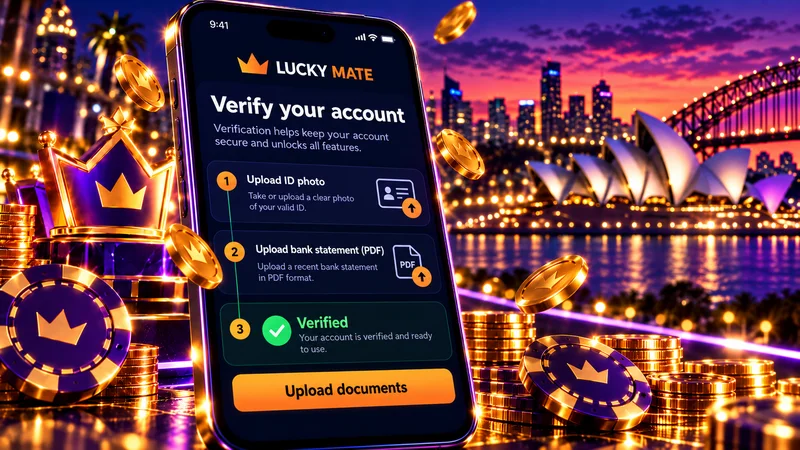
Three items are listed in the operator’s verification message, to be sent through live chat or to [email protected]. Each proves something different, so they go in together.
| Document | Why they ask | What it must show | Format |
|---|---|---|---|
| Photo of you holding your ID | Links you, the account holder, to the document | Your face and the ID in the same shot | Photo |
| ID document | Confirms who you are and that you’re over 18 | An expiry date no sooner than six months away | Scan or photo |
| Bank statement | Checks your name and residential address against a bank record | Name, residential address, date of issue, 3 or more transactions with at least one in the last 3 months; issued within the last 3 months | PDF or a scan of a paper statement only |
Source: operator’s verification text in the cashier code, as archived on 19 May 2026 (checked October 2026).
The photo with your ID
Hold the same document you send as the ID scan beside your face, in good light, keeping your fingers clear of the photo and the expiry date. Leave off sunglasses and caps, and don’t use filters. If chat calls the image unclear, retake it, because an edited photo only invites more questions.
The ID and its six-month rule
Everything hinges on the expiry date. A document that runs out within six months of when you send it fails, even though it’s valid today. The archived pages mention “your selected ID document” without listing accepted types, so ask chat before uploading and pick the one with the longest run left.
The bank statement
No item in the pack comes with more conditions. A screenshot from your banking app won’t pass as a PDF or a scan, so download the official statement from internet banking. We’d use the account you plan to withdraw to, since its name has to match anyway, and an everyday account, since a quiet savings one may not show three transactions. A statement that was fine in March is too old by July.
Sending it and keeping copies
Send all three in one go through the chat on luckymate.co.com, or email them to [email protected] from your account address, and write down the date. In player complaints, the full set is requested again before later payouts, so keeping the files together in one folder makes a resend quick.
When Lucky Mate asks for verification
The operator doesn’t publish a fixed trigger such as a deposit amount, so the table combines its FAQ wording with what player complaints describe.
| Moment | What the sources say | Have ready |
|---|---|---|
| Sign-up and first deposit | The operator doesn’t say documents are needed yet | Correct name, address and country in your profile |
| First withdrawal | FAQ: “Verifications can extend the first withdrawal period” | All three documents |
| Larger cash-outs | Maximum withdrawal can vary with verification, VIP and account status; caps are A$5,000 a week and A$15,000 a month | The same pack, with a statement under three months old |
| Later payouts | Complaints report repeat requests for the full set | A statement refreshed every three months |
We’d verify while nothing is pending. Once the first deposit is in, ask live chat whether you can send the pack straight away, so the check is done before any withdrawal depends on it. The payout side, from the 48-hour review to the weekly caps, is in our guide to verification before your first withdrawal.
Support hours decide the timing
Chat is staffed 16:00–10:00 GMT+11 every day, roughly 18 of every 24 hours. In Brisbane that means 15:00–09:00 and in Perth 13:00–07:00, so anything sent over lunch sits until the afternoon. According to the operator, requests are processed within 3 hours; when Casino Guru tested it, the wait was 7 days. Withdrawals aren’t processed at weekends either, so send documents early in the week and back the chat up with an email that gives you a dated record.
Mistakes that stall sign-up and verification
Apart from the document rules above, four mistakes collide with published rules. Each is cheaper to fix before the first deposit than after a win.
- A name that doesn’t match the bank. A nickname, a shortened first name or a changed surname blocks the payout, because names must match the bank account details. Register as your bank knows you.
- The wrong country. Payouts only go to a bank account in your profile’s country, so an overseas account can’t receive them.
- Someone else’s card or account. Deposit and withdraw in your own name; a partner’s account can’t receive your payout.
- Withdrawing before betting your deposit through. That’s when the extra commission can apply.
Checklist before your first deposit
- You’re on luckymate.co.com and the cashier shows AUD.
- Your profile name and address match your bank exactly, and the country is Australia.
- A deposit or loss limit is in place.
- Your ID has at least six months left before it expires.
- A PDF statement from the last three months, with three or more transactions, is saved.
- You’ve decided on the bonus: A$25 or more if you’ll stick to pokies until x40 is cleared, no bonus if you want live tables or a quick exit.
- You know the chat hours and have screenshotted the bonus card before confirming.
Account set, documents ready
18+ · AUD account · 150% up to A$1,000 + 150 free spins from A$25 · x40 on the bonus
Who should sign up, and who should wait
Sign up if
- You mostly play pokies and want an AUD account with PayID
- You can produce a valid ID and a 3-month PDF statement
- You'll verify before your first withdrawal
- You'll set limits from day one
Hold off if
- You want an Australian regulator behind you in a dispute
- Your bank name differs from your ID, or you bank overseas
- You expect a withdrawal within hours of a win
- You want live tables while a bonus is running
Signing up is quick and A$25 is a low bar. What actually needs deciding is whether you’re comfortable giving ID and a bank statement to an offshore operator whose licence we couldn’t verify. If you are, set the pace yourself: verify early, keep copies and bet your deposit through before asking for money back. Anyone uneasy about handing those documents over has a perfectly good reason to keep their details to themselves.
Lucky Mate sign-up questions
Is there a no-deposit sign-up bonus?
Not a public one. The operator’s 2025 and 2026 snapshots show none for new accounts, and the welcome package starts with a deposit of A$25 or more. The cashier code does contain a message for crediting a no-deposit bonus, so personal offers are possible. Ignore sites that promise one with a code: MATE50 is the British LuckyMate’s code and won’t work in the Australian cashier.
What should I do if my documents are rejected?
Ask chat which condition the file failed, put it right, then email the whole pack again to [email protected] so there’s a dated record. Before you resend, go back over the four conditions tied to dates and format: the ID’s expiry date, the statement’s issue date, the three-transaction rule and the PDF requirement. Do it well before you need a payout.